A domain is the address visitors use to reach your website, such as exampledomain.ie or example.com.
Don’t have a domain name? Use our Domain-Name-Registration tool to check availability for any name you can think of.
Navigate to Settings (the cog wheel icon) and select the Domains tab.
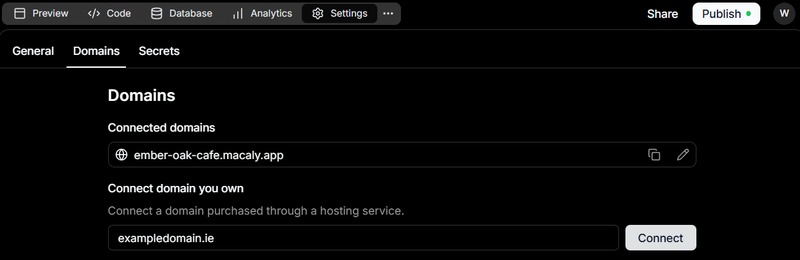
Domains settings page showing a connected Macaly.app domain and a field for connecting a custom domain.
Enter the domain you want to use without www. and click Connect.
Click Show DNS records.
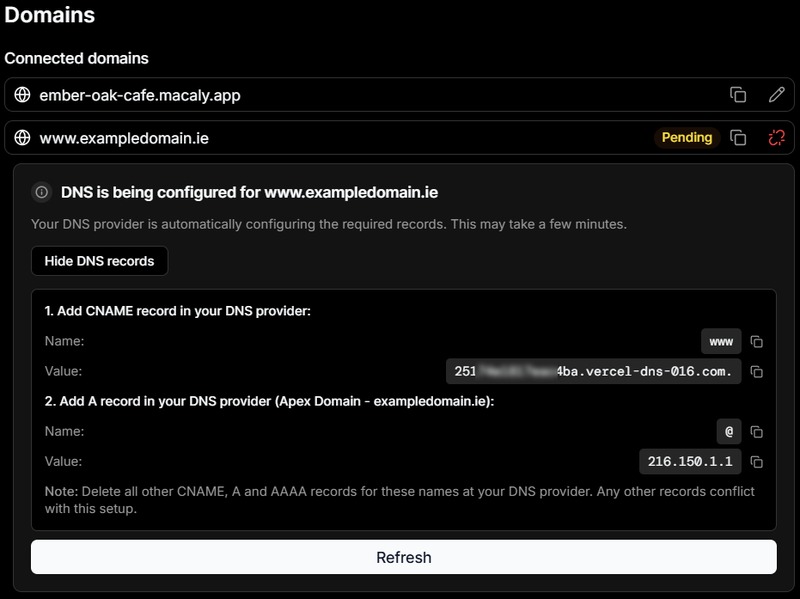
Custom-domain connection panel displaying the DNS records required by Macaly AI.
Unsure how to make DNS changes? Give us a call on +353 (0)1 6535032 or open a ticket and confirm the Domain name and Project name you want to connect.
The project name can be found under Settings > General.
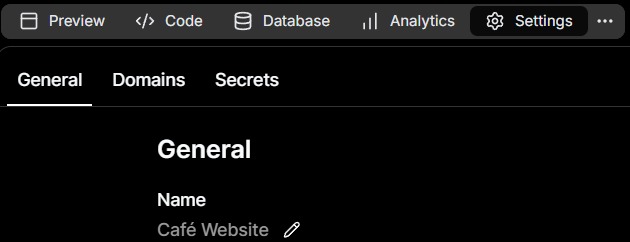
Settings > General shows the project name Cafe Website.
After the DNS has been updated, click Refresh. Once Macaly AI can verify the records, the domain will appear in your Connected domains list.
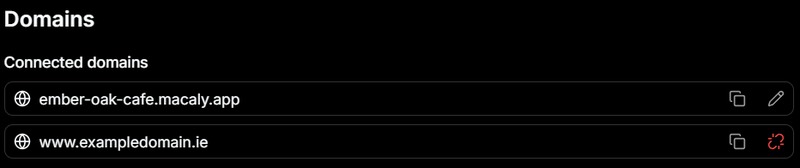
Connected domains list showing the Macaly.app URL and an added custom domain.
You can connect multiple domains to the same project. For example, you could connect both an .ie and .com version of your domain to the same website or app.
Important: DNS changes can take time to propagate across the internet after they are added. Allow up to 24 hours for the change to be seen consistently.
Macaly AI handles the SSL certificate for websites published through the platform, so you do not normally need to purchase or manually install a separate certificate.
If you have any questions on the above, please do not hesitate to 'Open a Ticket' and we will be happy to advise further.