Macaly AI provides three main Agent Modes: Auto, Plan and Build. You can switch between them beside the prompt box.
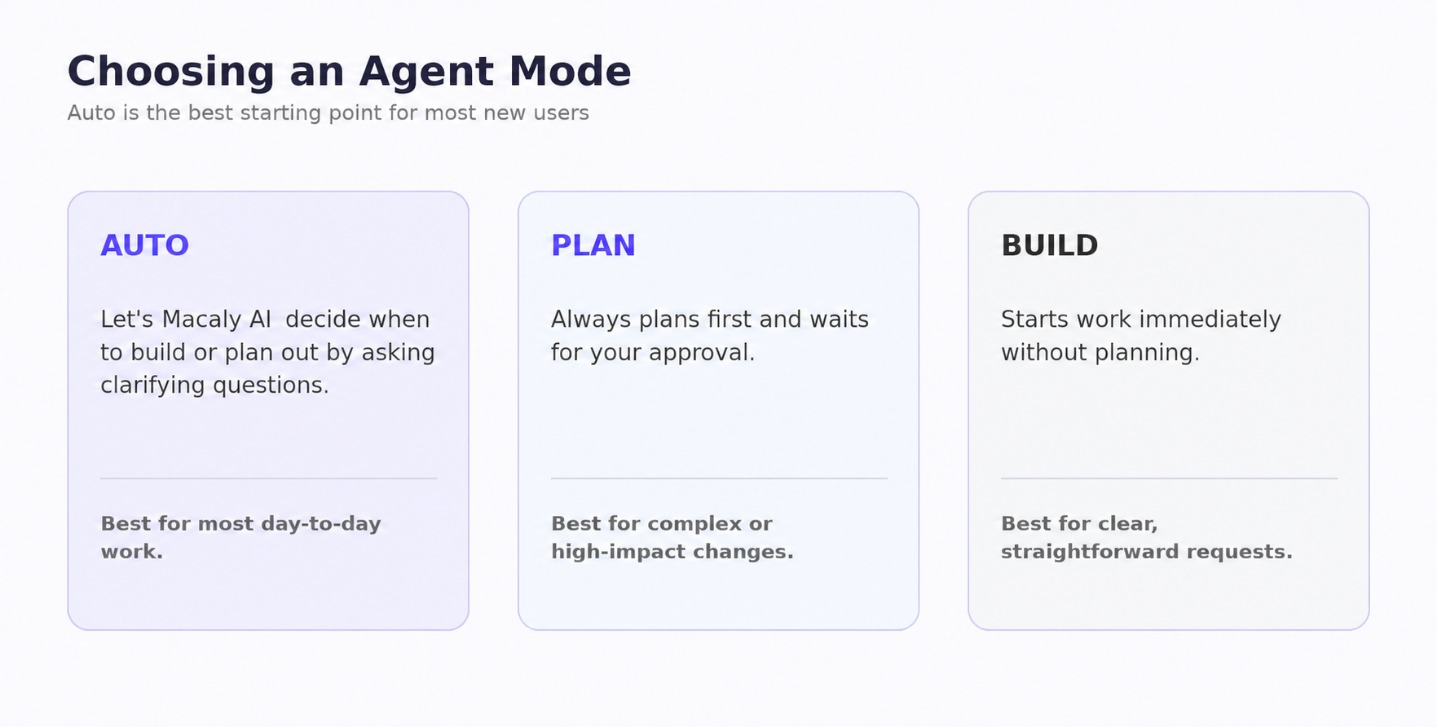
Agent Modes at a glance. This is an illustrative diagram, not a screenshot of the live interface.
Auto (Recommended default option)
Auto is the default mode and best starting point for most users. Macaly AI decides whether it should begin building immediately or whether the request would benefit from some planning or clarification first.
Auto is particularly useful when:
- You are building a mixture of simple and complicated features
- You are unsure which mode to choose
Plan
Plan mode asks Macaly AI to think through the request before making changes. It may break the work into steps, ask questions and present its proposed approach before proceeding.
Plan mode can be useful when:
- Adding an important new feature
- Making significant changes to the website
- Building user accounts
- Creating database-driven functionality
- Adding payment functionality
- You want to understand what Macaly intends to change first
For larger changes, reviewing the plan first can help catch misunderstandings before credits are spent building the wrong thing.
Example of using Plan mode
Current design of the website:
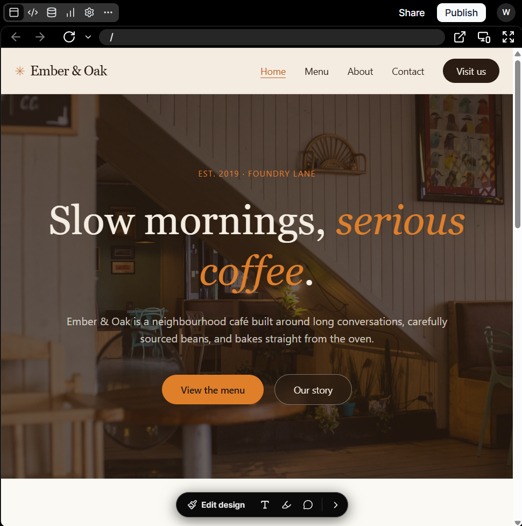
Initial website design before making a plan.
When using Plan mode, Macaly AI may first ask clarifying questions about what you want to achieve.
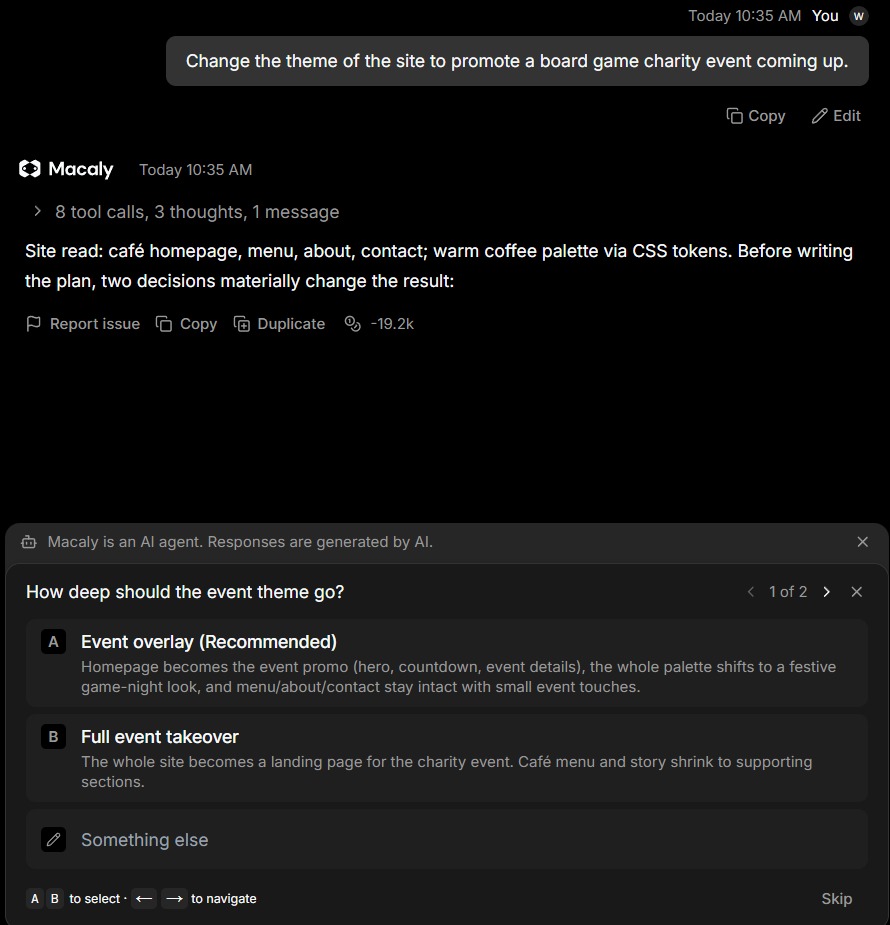
Plan mode asking a clarifying question and presenting selectable options.
Select an option provided or manually enter a custom prompt with the Something else option.
Depending on the scope of the request, there can be multiple clarifying question pages:
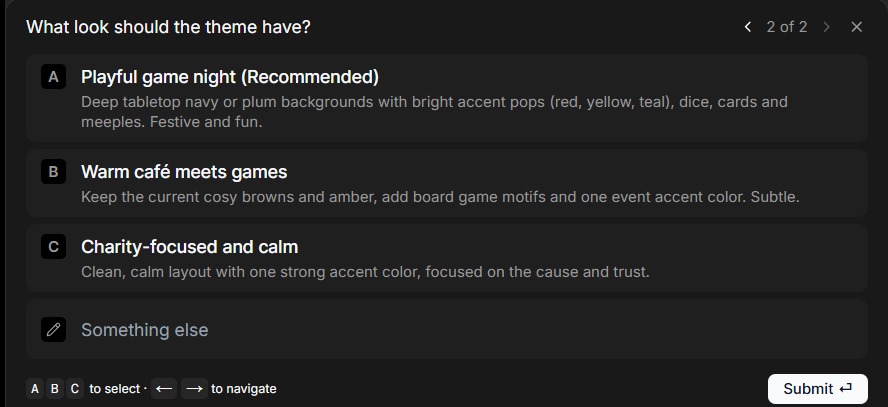
Plan mode asking a second clarifying question about the desired theme and style.
Select all the options you want to use and hit the Submit button.
Macaly AI will then provide a Plan detailing the changes it will attempt to make.
If you are happy with the plan, click Yes at the bottom of the plan to proceed, or use the chat to further refine the plan before continuing.
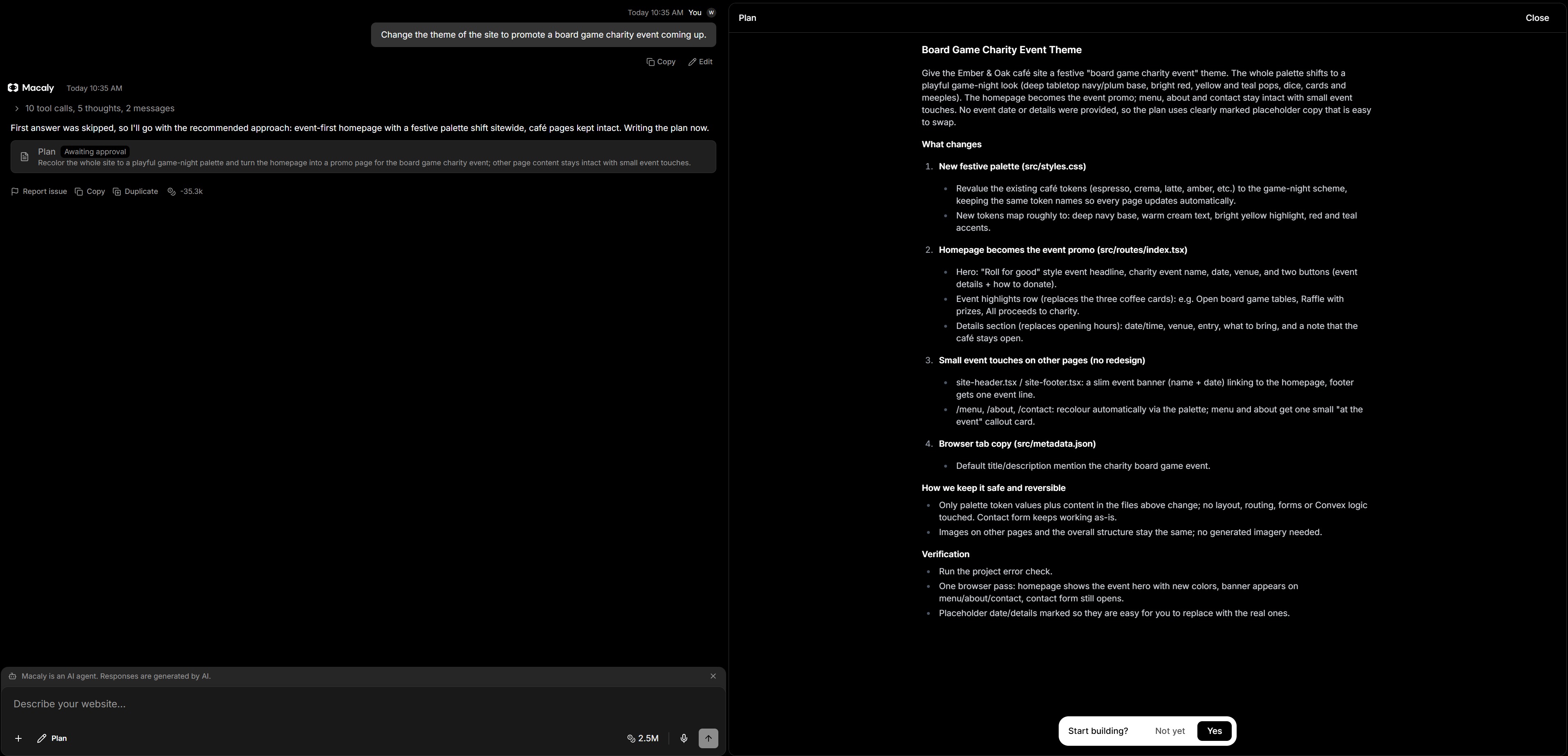
Macaly AI plan summary showing proposed changes and the option to proceed.
The result:

Macaly AI editor showing the completed project after the approved plan was built.
Build
Build mode tells Macaly AI to begin working immediately without stopping to create a plan or ask questions. This is most useful when the instruction is clear and straightforward.
For example:
If you have any questions on the above, please do not hesitate to 'Open a Ticket' and we will be happy to advise further.