If you have a website/email hosting account with LetsHost, you may need to update the DNS records for your domain to point to the new data centre.
Please note this change should be done after your server has been migrated, the date of the migration will be in the initial notification email but you can check https://status.letshost.ie for confirmation when it has been completed.
First, to check your current nameservers, you can use this online checker https://who.is
Other checkers include:
https://whois.lookup.ie/
https://www.whatsmydns.net/dns-lookup/ns-records
https://toolbox.googleapps.com/apps/dig/#NS/
letshosttutorials.com for example:
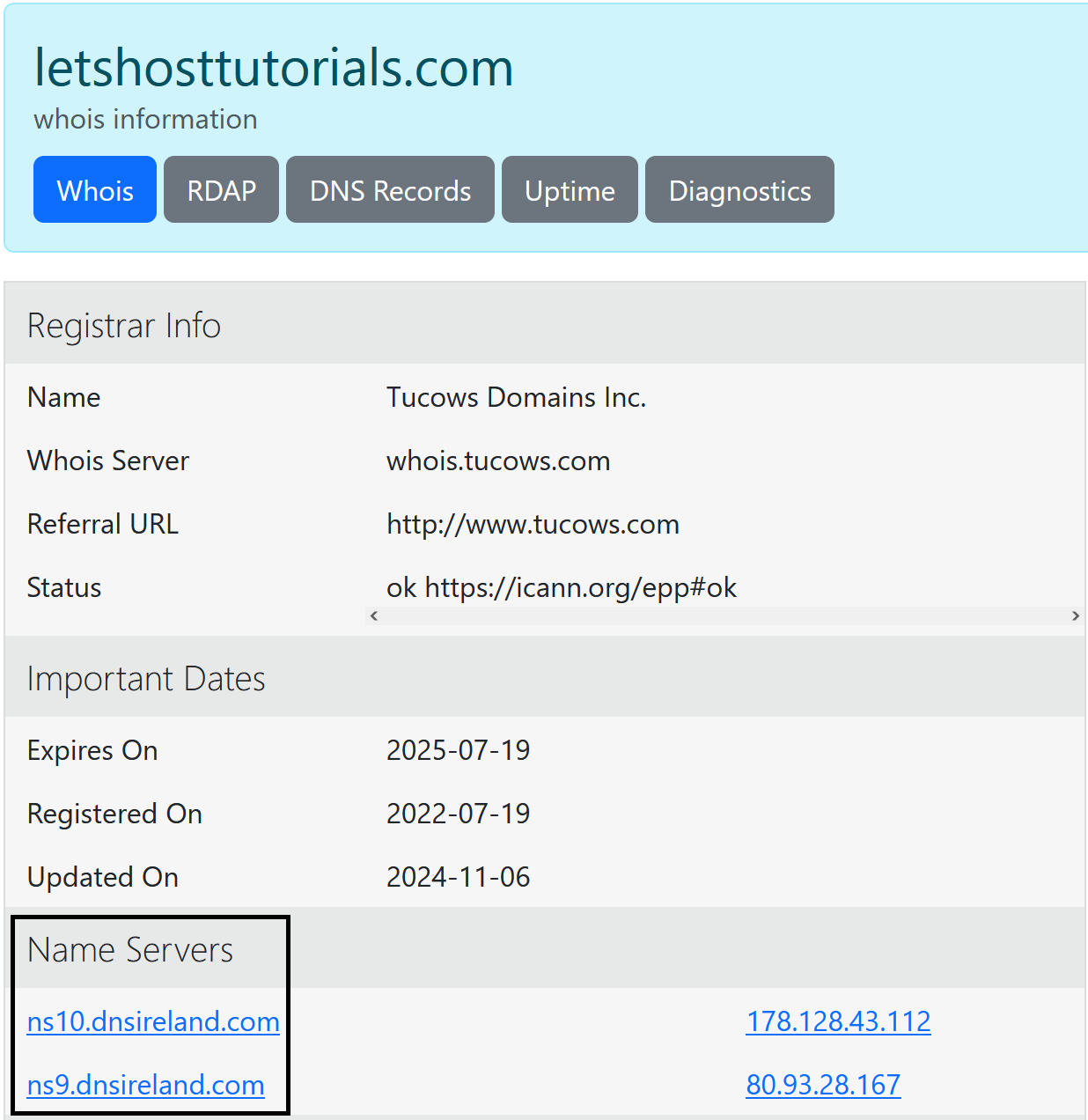
If you are not using LetsHost nameservers you will need to contact your (DNS) hosting provider with the following template and request to edit/replace all instances of the “Existing Server IP Address” (as per the initial notification email) with the “New Upgraded Server IP”
(replace “Existing Server IP Address” and “New Upgraded Server IP” as per the initial notification email)
Hello,
My host is updating my server, this requires an IP change.
Can you please replace all instances of the old server's IP for my domain
“Existing Server IP Address”
With the new server IP:
“New Upgraded Server IP”
Regards,
Please see the following knowledgebase articles for some common/popular nameserver providers for making the change yourself:
CloudFlare
Wix
Microsoft
If you require further information/assistance on this, please Open a Ticket and a member of the team will be happy to assist further.